

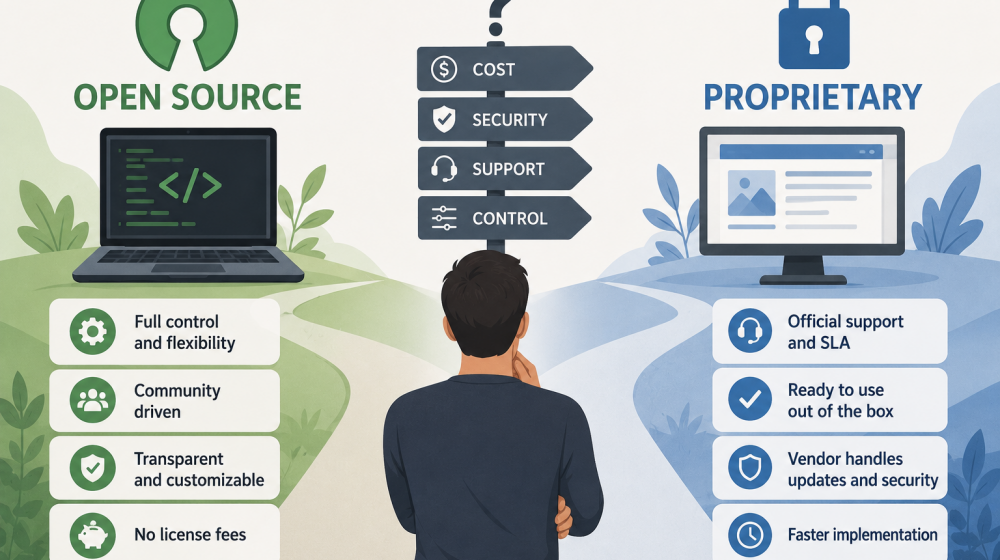
As teams grow, the choice between open-source and proprietary software tends to reappear across infrastructure, development tools, analytics, security, and business applications. The decision involves much more than license price: control over the technology, internal expertise, security responsibilities, vendor support, customization, and long-term dependency can all affect the outcome. The right model therefore depends less on ideology and more on what a team is mature enough to operate, maintain, and govern effectively.
What actually separates open source from proprietary software
The fundamental difference is not whether software costs money, but who can access and modify its source code and who carries responsibility for maintaining the system.
Open-source software makes its source code available under a license that defines how it can be used, modified, and distributed. Depending on the project and license, organizations may be able to inspect the code, customize it for their requirements, deploy it on their own infrastructure, and contribute improvements back to the project.
Proprietary software is controlled by a vendor that determines how the product is developed, licensed, distributed, and supported. Customers typically receive the right to use the product rather than unrestricted access to its underlying source code.
This distinction creates different operating models. With open source, a company can gain significant technical control but may also assume more responsibility for deployment, updates, integrations, troubleshooting, and security. Proprietary products generally transfer more of those responsibilities to the vendor, but customers have less influence over the product’s architecture and roadmap.
The boundaries are not always clear-cut. Many commercial companies build paid products around open-source projects, offering managed hosting, enterprise features, technical support, or security services. Likewise, proprietary platforms increasingly provide APIs, extensions, and configuration options that give customers considerable flexibility without providing access to the source code.
Key factors to weigh before deciding
A useful comparison should focus on operational requirements and organizational capabilities rather than treating open source or proprietary software as inherently superior.
Before choosing a model, teams should evaluate several factors:
- Control and customization. Determine whether the organization needs to modify the software itself, control deployment architecture, build specialized integrations, or avoid dependence on a vendor’s development priorities.
- Internal expertise. Consider whether the team has engineers who can deploy, maintain, troubleshoot, upgrade, and secure the software without depending heavily on external assistance.
- Support requirements. Assess how quickly problems need to be resolved and whether community documentation is sufficient or contractual support and service-level commitments are necessary.
- Security and compliance. Identify who will manage vulnerabilities, patches, access controls, audit requirements, data protection, and regulatory obligations throughout the software lifecycle.
- Long-term flexibility. Examine the risks of vendor lock-in, migration difficulty, compatibility, data portability, project abandonment, and changes to licensing or pricing.
The importance of each factor varies considerably. A small engineering team selecting an internal development tool may tolerate more operational responsibility than a regulated enterprise choosing software for a mission-critical business process.
Total cost of ownership: license price vs. hidden costs
Software with no license fee is not necessarily inexpensive, while a paid proprietary product can sometimes reduce overall costs by transferring operational work to the vendor.
License price is the most visible expense, which is why comparisons often begin there. Open-source software may eliminate or substantially reduce licensing costs, particularly when an organization can self-host the product. At scale, that difference can become significant.
However, total cost of ownership includes much more. Infrastructure, implementation, configuration, integrations, monitoring, backups, upgrades, security patches, incident response, employee training, and ongoing administration all require resources.
Engineering time is particularly easy to underestimate. If several specialists spend hours every week maintaining a self-hosted system, their time is part of the product’s real cost. A technically free application can therefore become expensive when it creates substantial operational overhead.
Proprietary software has hidden costs of its own. Subscription prices can increase as the number of users, data volume, transactions, or required features grows. Organizations may also encounter premium support fees, integration costs, migration expenses, minimum contract commitments, or expensive enterprise tiers.
Switching costs should be considered as well. A platform that is inexpensive during the first year may become costly if extracting data, replacing integrations, retraining employees, or moving to another system becomes difficult later.
A realistic comparison should therefore estimate costs over several years rather than comparing an open-source download with a vendor’s monthly subscription price.
How to run a structured evaluation before committing
The strongest software decisions come from testing both technical and business assumptions against real requirements before the organization becomes dependent on a platform.
A structured evaluation can be relatively simple:
- Define requirements and constraints. Identify essential capabilities, expected usage, integration requirements, security standards, compliance obligations, budget limits, support expectations, and internal technical resources.
- Shortlist realistic alternatives. Compare products capable of meeting the actual requirements rather than selecting candidates solely because they are popular, free, or already familiar to individual team members.
- Run a representative pilot. Test installation, configuration, integrations, permissions, performance, monitoring, upgrades, backup procedures, user experience, and common failure scenarios with a realistic workload.
- Compare long-term ownership. Estimate direct costs, engineering effort, operational risks, vendor dependency, migration complexity, support quality, and the consequences of the software becoming unavailable.
The pilot stage is especially valuable because documentation and feature lists rarely reveal the full operational burden of a system. A tool that looks straightforward in a demonstration may require significant expertise to run reliably in production.
Teams should also establish decision criteria before testing. Otherwise, evaluations can easily become biased toward whichever product creates the strongest first impression.
When open source is the better fit for your team
Open source tends to be most attractive when a team values technical control and has sufficient expertise to take responsibility for operating the software.
Organizations with mature engineering or infrastructure teams can benefit substantially from the ability to inspect, configure, and modify software. Self-hosting may provide greater control over data location, network architecture, deployment schedules, integrations, and system behavior.
Open source can also be valuable when customization is strategically important. If software needs to become deeply integrated into a company’s own platform or workflow, access to the code can remove limitations that would otherwise require waiting for a vendor.
Another advantage is the potential to reduce dependence on a single provider. If a commercial company changes its prices, strategy, or product direction, an organization using genuinely portable open-source technology may have more options for continuing independently or moving to another service provider.
Strong open-source projects can also benefit from large technical communities, extensive documentation, broad ecosystems, and rapid innovation.
These advantages are most meaningful when the team can actually use the control it receives. If nobody has time to maintain the system, review updates, respond to vulnerabilities, or diagnose failures, theoretical flexibility may provide little practical value.
When proprietary software makes more sense
Proprietary software is often the stronger choice when predictable operations, vendor accountability, rapid deployment, and dedicated support matter more than maximum technical control.
Smaller teams may not want engineers spending time maintaining infrastructure that does not differentiate the business. Paying a vendor to operate the software can allow internal specialists to focus on products and systems that create more direct value.
Support can also be decisive. For critical systems, organizations may need guaranteed response times, escalation procedures, dedicated account management, formal security documentation, training, and contractual service commitments. Mature commercial vendors are often structured to provide these services.
Proprietary products can also simplify adoption for organizations without specialized technical teams. Installation, updates, backups, monitoring, and infrastructure management may be handled largely by the provider, reducing the number of operational responsibilities the customer needs to develop internally.
The trade-off is greater dependency. The vendor may change prices, discontinue functionality, alter integrations, modify contract terms, or eventually retire the product. Customers therefore need to evaluate the provider’s stability, data-export capabilities, contractual terms, security practices, and migration options before making a long-term commitment.
Ultimately, neither model is universally better. A technically mature organization may willingly accept operational complexity in exchange for control and flexibility, while another team may rationally pay more for predictable support and lower maintenance requirements. The best choice is the one whose responsibilities, risks, and long-term costs match what the organization is realistically prepared to manage.